
Give your team the access they need, without giving up control.
Assign roles, permissions, limits, and approval requirements so employees can prepare routine work while owners and designated approvers retain authority over company funds.
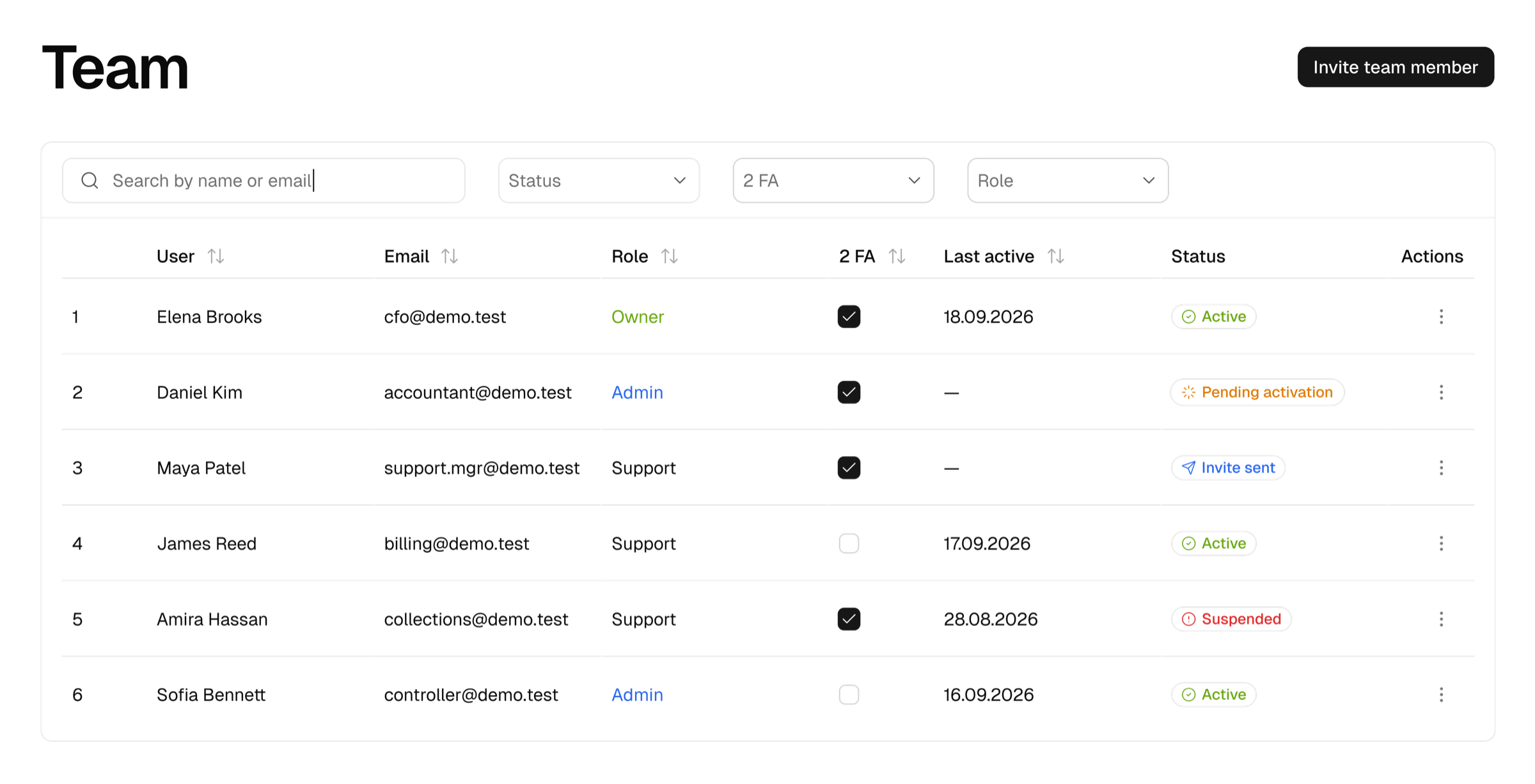
Separate responsibility from authority.
Your team should be able to complete its work without receiving unrestricted account access. Tesarus separates the ability to prepare or manage an operation from the authority to approve and execute sensitive actions.
Give every person a clear role.
Roles define the actions available to a user. Permissions can be adjusted to match your operating model.
Roles define actions. Limits define boundaries.
A role answers what a person can do. A limit answers how much, how often, and under which conditions the person can do it.
Set the maximum amount a user can prepare or process in one operation.
Control the total amount a user can process during a day.
Apply a broader operating boundary for recurring activity.
Restrict activity to specific company accounts, assets, or supported networks.
Require confirmation when an operation needs more authority.
When a transaction exceeds the user's permitted boundary or matches a sensitive rule, it remains pending until the required approver confirms or rejects it.
Control where company funds can go.
Maintain approved counterparty records with the relevant addresses, business details, and internal references. A prepared payment can be checked against this list before approval.
A payment workflow with clear responsibility.
A team member prepares the payment inside an assigned account and role.
Tesarus checks the destination, permissions, and transaction limits.
The system identifies whether additional confirmation is required.
An authorized approver reviews and confirms or rejects the operation.
The final action and responsible users are recorded for finance review.
Know who did what and when.
Keep a record of invitations, role changes, payment preparation, approvals, rejections, and access updates. Clear responsibility helps your business operate without relying on shared credentials or informal approvals in chat.
Simple for the team. Controlled for the company.
Users see only the accounts, actions, and approval requests relevant to their work. Passkey confirmation makes sensitive actions deliberate without adding unnecessary complexity.
Delegate routine work without delegating full control.
Set up roles, limits, approved counterparties, and confirmation rules around the way your company operates.
Configure team access